Kansa — Getting Started with PowerShell IR
2018-11-21 · Blue Team PowerShell Incident Response Active Directory

Introduction
Kansa is a modular incident response framework written in PowerShell. It allows you to collect data from Active Directory-joined machines at enterprise scale via PowerShell remoting.
This guide covers:
- Install Kansa for one host
- Usage example
- Running modules standalone
Installation
Prerequisites — Enable PSRemoting on all targets
Enable-PSRemoting -Force
Set-Item wsman:\localhost\client\trustedhosts *
Verify remote PowerShell works:
New-PSSession -ComputerName WIN-AD -Credential campus\Administrator
Get-PSSESSION
Download and Unblock
# Download latest build from:
# https://github.com/davehull/Kansa

# Unblock all ps1 files (PowerShell v3+)
ls -r *.ps1 | Unblock-File
Execution Policy
Set-ExecutionPolicy AllSigned
# or
Set-ExecutionPolicy RemoteSigned
# or
Set-ExecutionPolicy Unrestricted
Usage
Open an elevated PowerShell prompt and run:
.\kansa.ps1 -Target $env:COMPUTERNAME -ModulePath .\Modules -VerboseExample run against a domain controller:
PS C:\Tools\Kansa-master> .\kansa.ps1 -Pushbin -Target WIN-AD \
  -Credential chi.local\administrator -Authentication Negotiate

VERBOSE: Found Modules\Modules.conf.

VERBOSE: Running modules:

Get-PrefetchListing
Get-Netstat
Get-DNSCache
Get-SmbSession
Get-LogWinEvent
Get-SchedTasks
Get-LocalAdmins
Get-Hotfix

VERBOSE: Waiting for Get-PrefetchListing to complete.

1      Job1    RemoteJob    Completed    True    WIN-AD    <#...

VERBOSE: Waiting for Get-Netstat to complete.

3      Job3    RemoteJob    Completed    True    WIN-AD    <#...

VERBOSE: Waiting for Get-DNSCache to complete.

5      Job5    RemoteJob    Completed    True    WIN-AD    <#...
Output lands in a new Output_<timestamp> subdirectory with a subfolder per module.
Running Modules Standalone
Kansa modules work as standalone scripts outside the framework. This is useful for quick one-off collection:
.\Modules\Net\Get-Netstat.ps1Returns PowerShell objects instead of raw netstat output — easy to pipe into CSV, TSV, or XML:
.\Get-Netstat.ps1 | ConvertTo-CSV -Delimiter "`t" -NoTypeInformation `
  | % { $_ -replace "`"" } | Set-Content netstat.tsv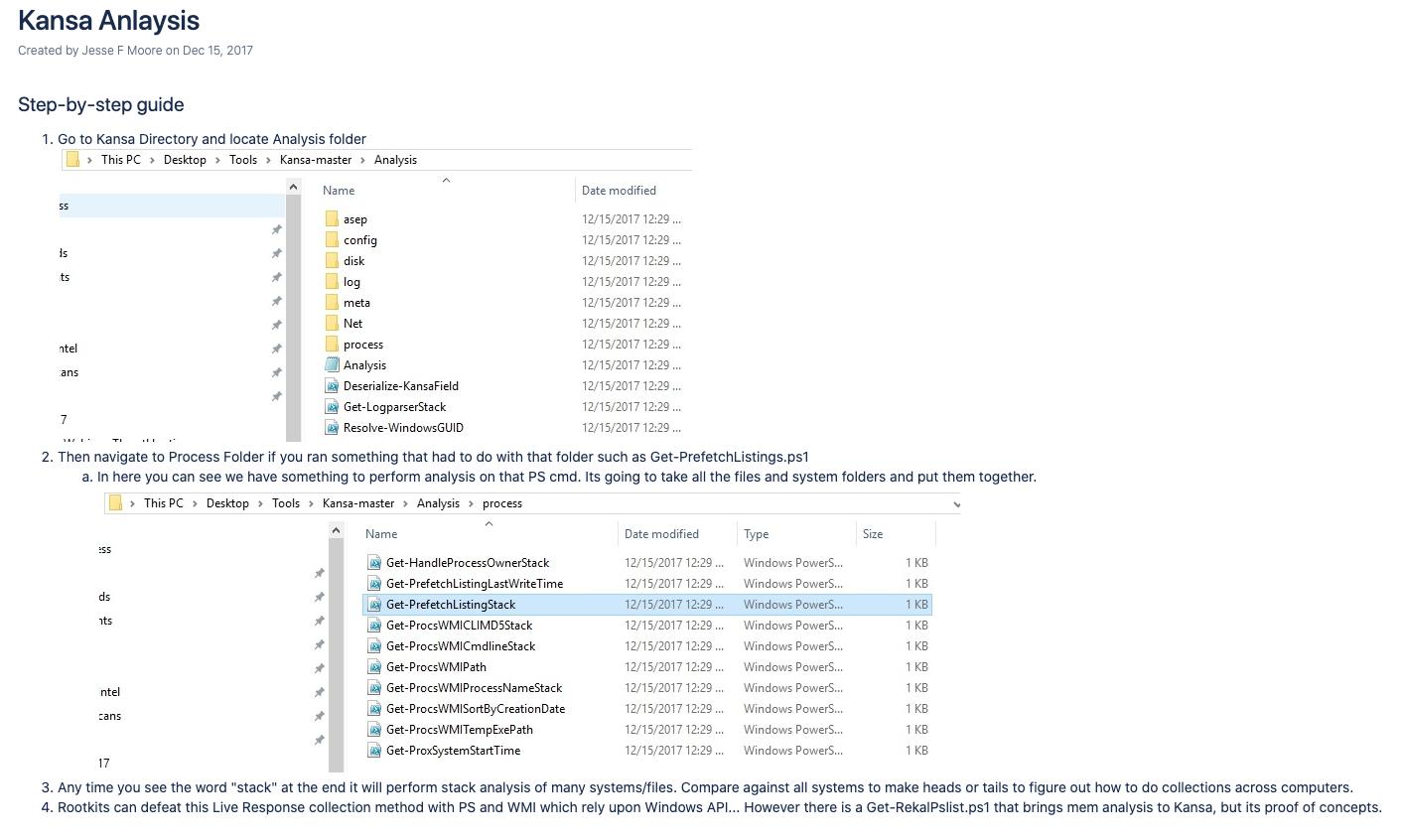
References
- TryHackMe — PowerShell Introduction
- ADHD Project — Kansa Usage
- 13Cubed — Kansa Video
- SANS DFIR — Jon Ketchum Kansa Talk